Everything your café runs on, behind the counter too.
Online ordering brings the orders in. The kitchen queue, the till, the stock room, the team and the numbers are where your day is won. All of it is in one plan, at $49.99/month per store, with no commission.
A live order queue for the bar and the kitchen
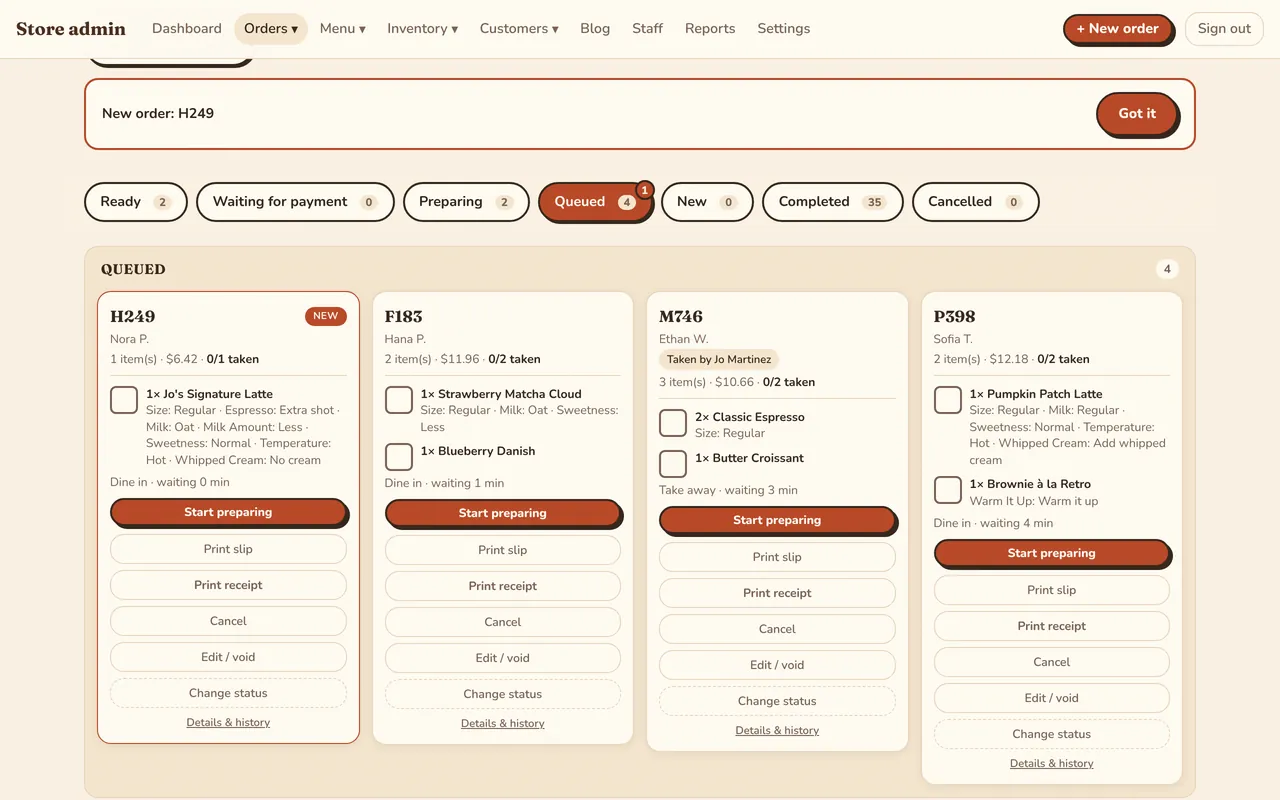
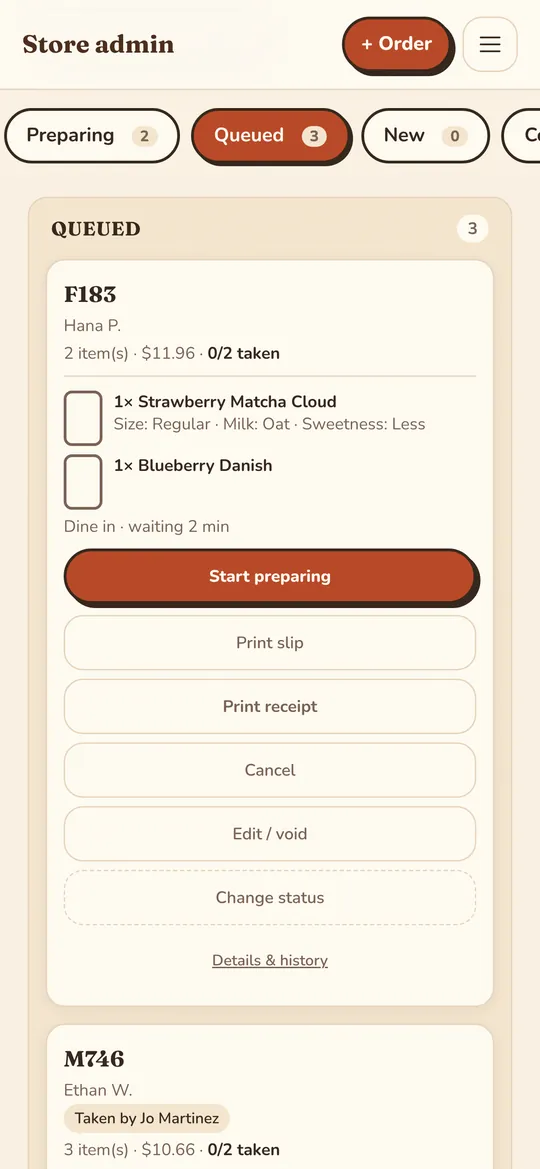
Every order, whether it came from a phone, the counter or a waiter, appears on one live board the moment it is placed. Each card lists every item with its options, so nobody has to ask twice.
- Tabs for queued, preparing, ready, waiting for payment, completed and cancelled
- One tap to start preparing, mark ready and mark collected
- A chime on the devices you choose (on in the kitchen, off at the till)
- New-order alerts on staff phones and laptops, even with the page closed
- Kitchen slips, receipts and bills print from the card; reprints are marked
- Tick items off as they go out, and see how long each order has waited
Counter and table orders, on any device
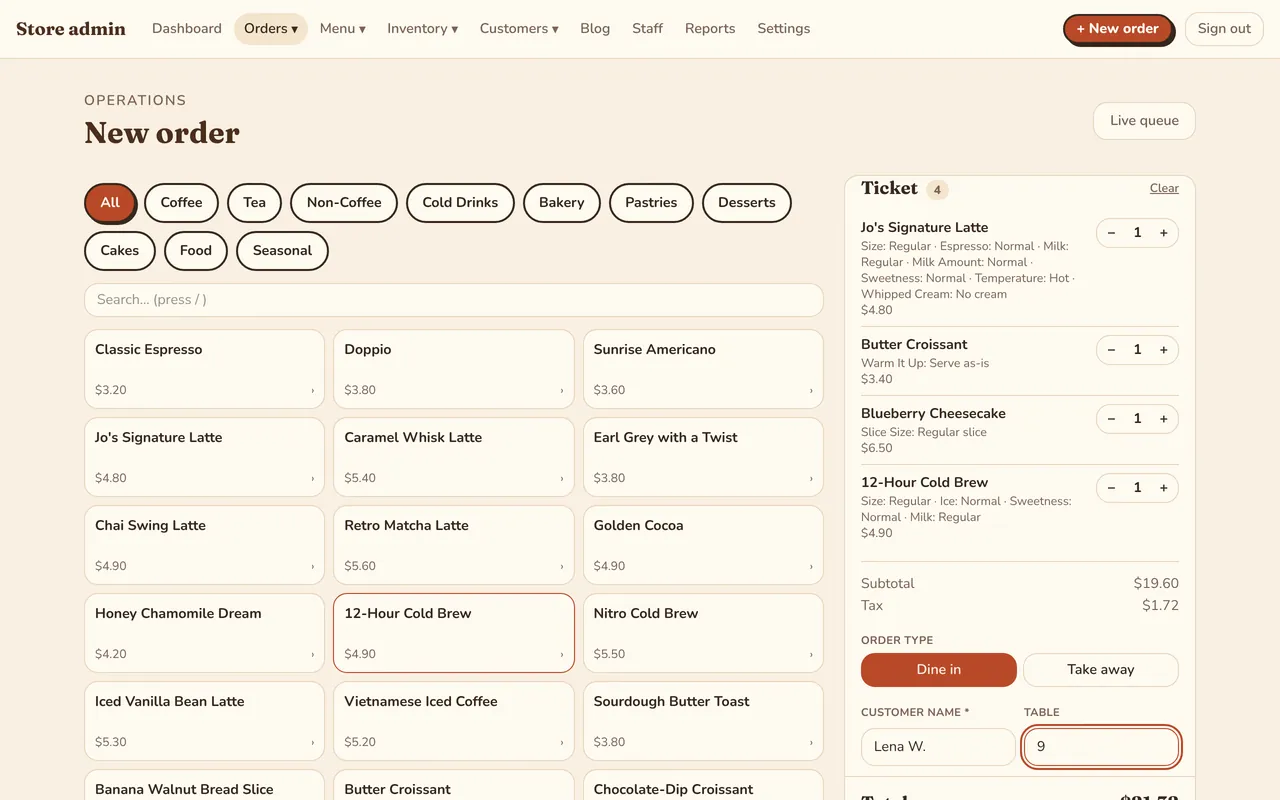
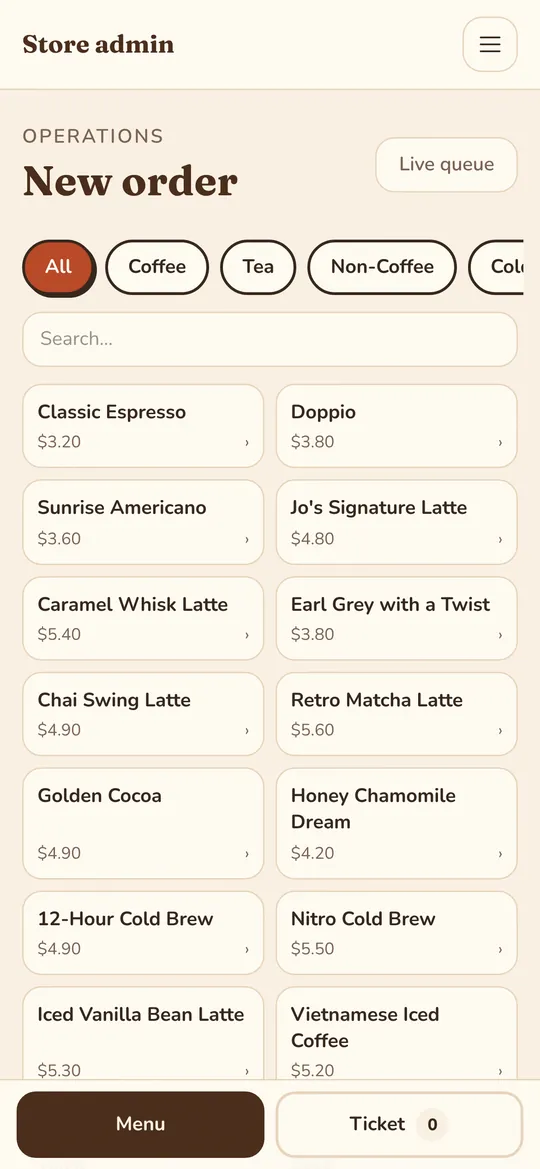
Staff key in orders from a laptop, a tablet or their own phone. The ticket stays on screen with the total, and the order goes straight to the kitchen queue.
- Search or tap through categories; options and extras priced automatically
- Dine-in with a table number, or takeaway
- Paid now by cash, card terminal, transfer or QRIS
- Or keep the bill open and settle it when the guests leave
- Add items to an open order, edit or void it; refunds are recorded
- Each order shows who took it
Guests order from their phone and follow it live
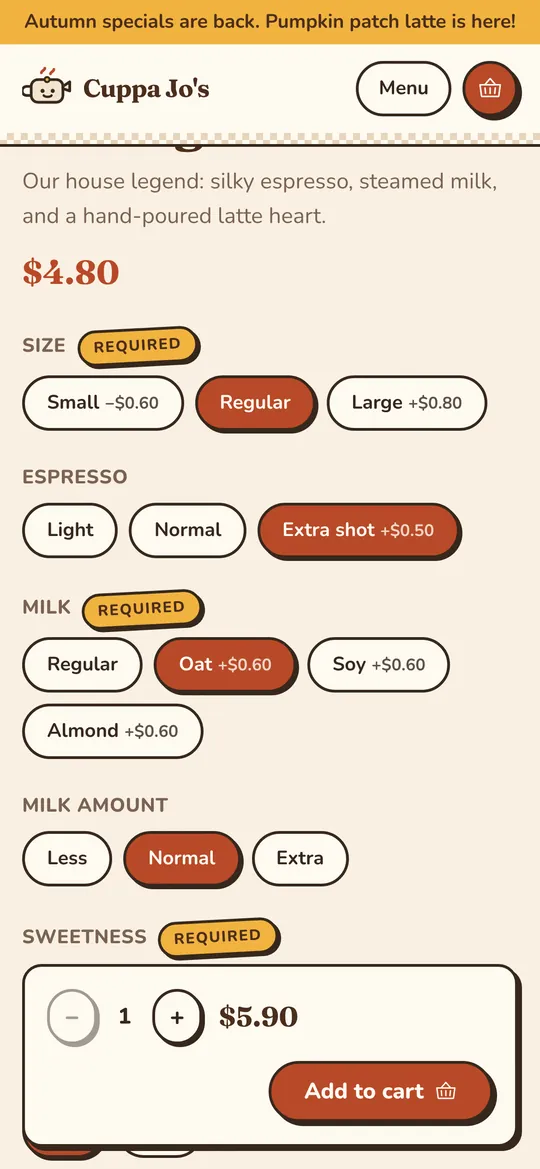
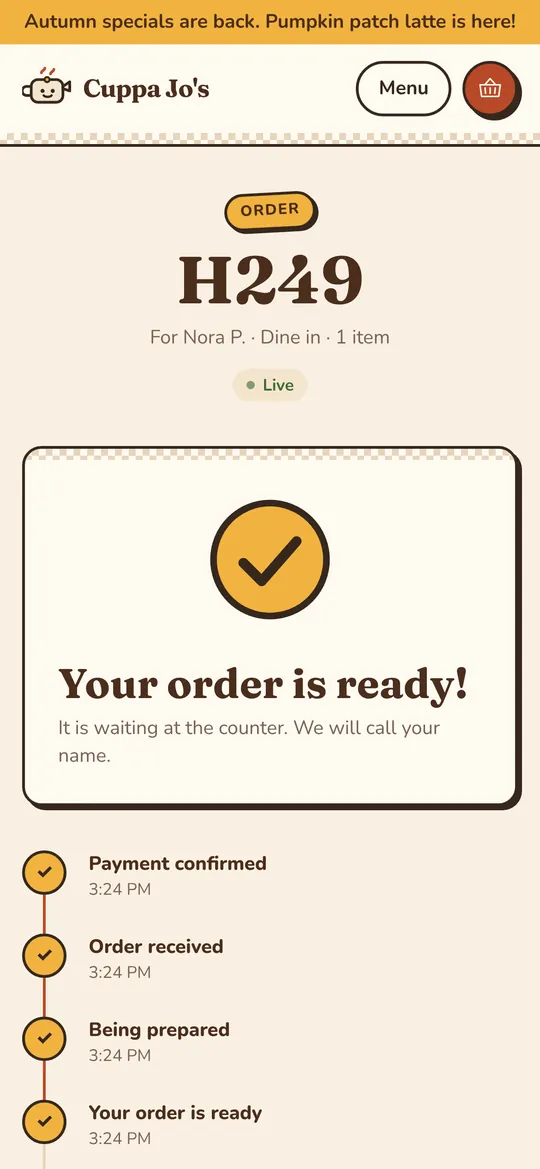
Your menu is a fast website on your own address: no app to download. Guests customise every drink and dish, pay, and watch the order go from received to ready.
- Sizes, milks, extra shots, sweetness, ice, add-ons, notes for the bar
- Card (Stripe or Square), PayPal, bank transfer with receipt upload, cash, or pay after eating
- Live order page, plus a notification when it is ready
- Returning guests are recognised by their phone number
Recipes that know oat milk from whole milk
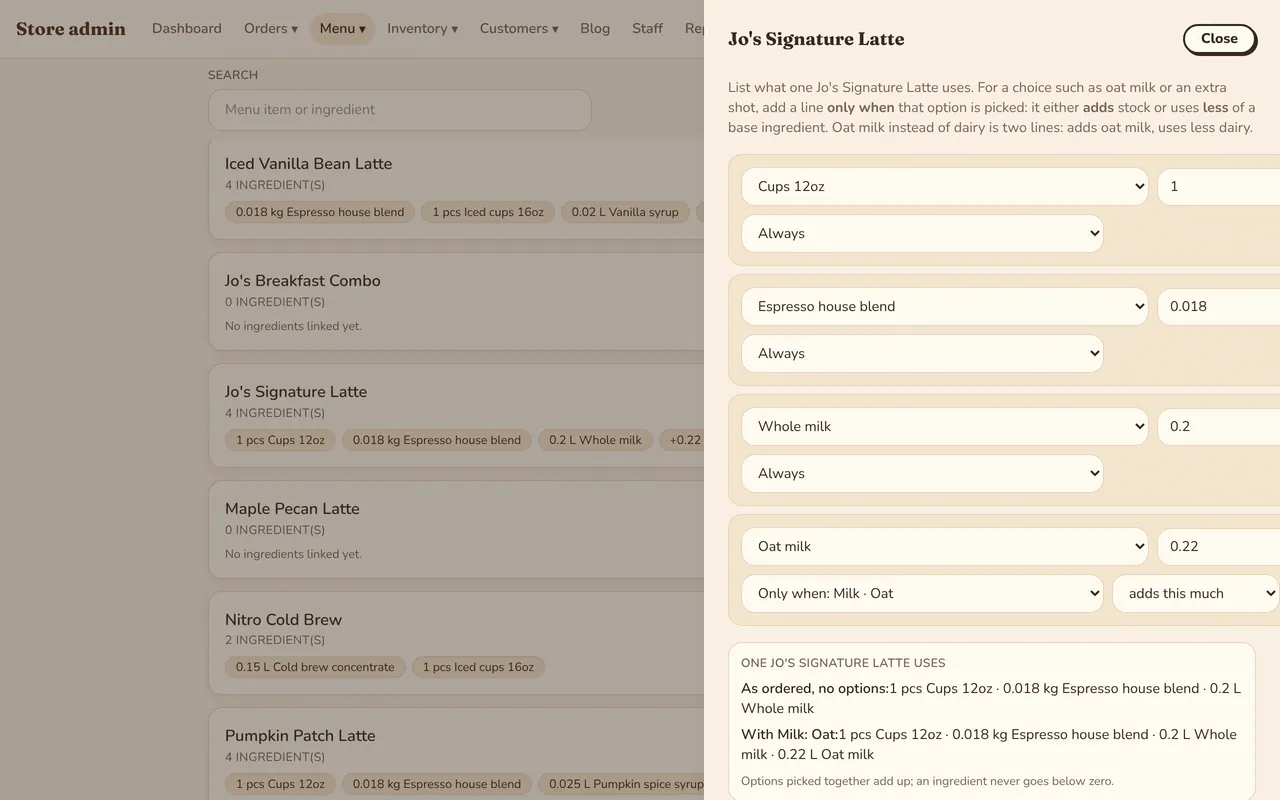
Link each menu item to the ingredients it uses. Lines can depend on what the guest picked, so an oat latte draws oat milk and a large one draws more.
- Base ingredients plus lines that apply only when an option is chosen
- Options can add stock or use less of a base ingredient
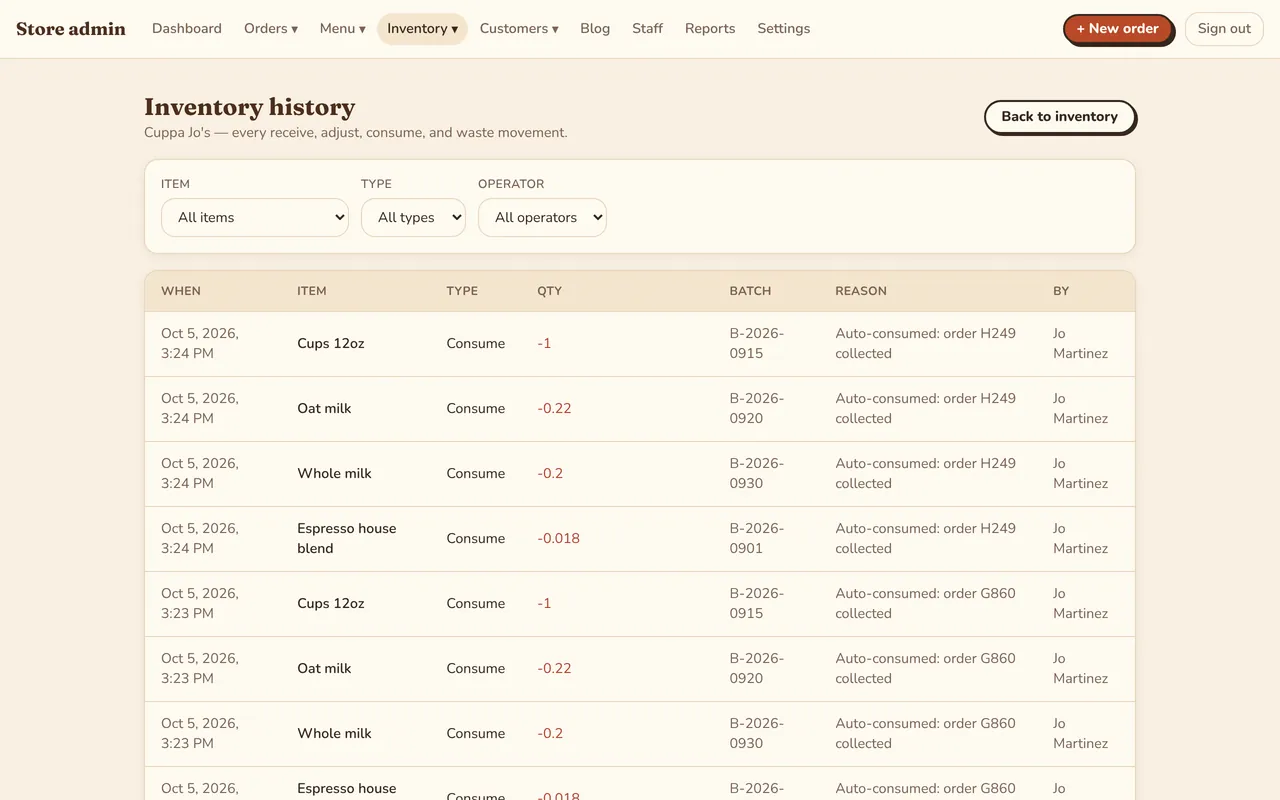
- Ingredients come off stock when the order is handed over
- Every deduction is logged against its order number
Inventory with batches, expiry dates and a full history
Receive stock in batches with their expiry dates. The app uses the oldest batch first, warns you about what is about to expire and what is running low.
- Quantities in kg, L, pieces or any unit you like
- Minimum stock levels and suppliers per item
- Expired batches are written off automatically
- History of every receive, adjustment, sale, waste and count, filterable by item and person
End-of-day stock counts
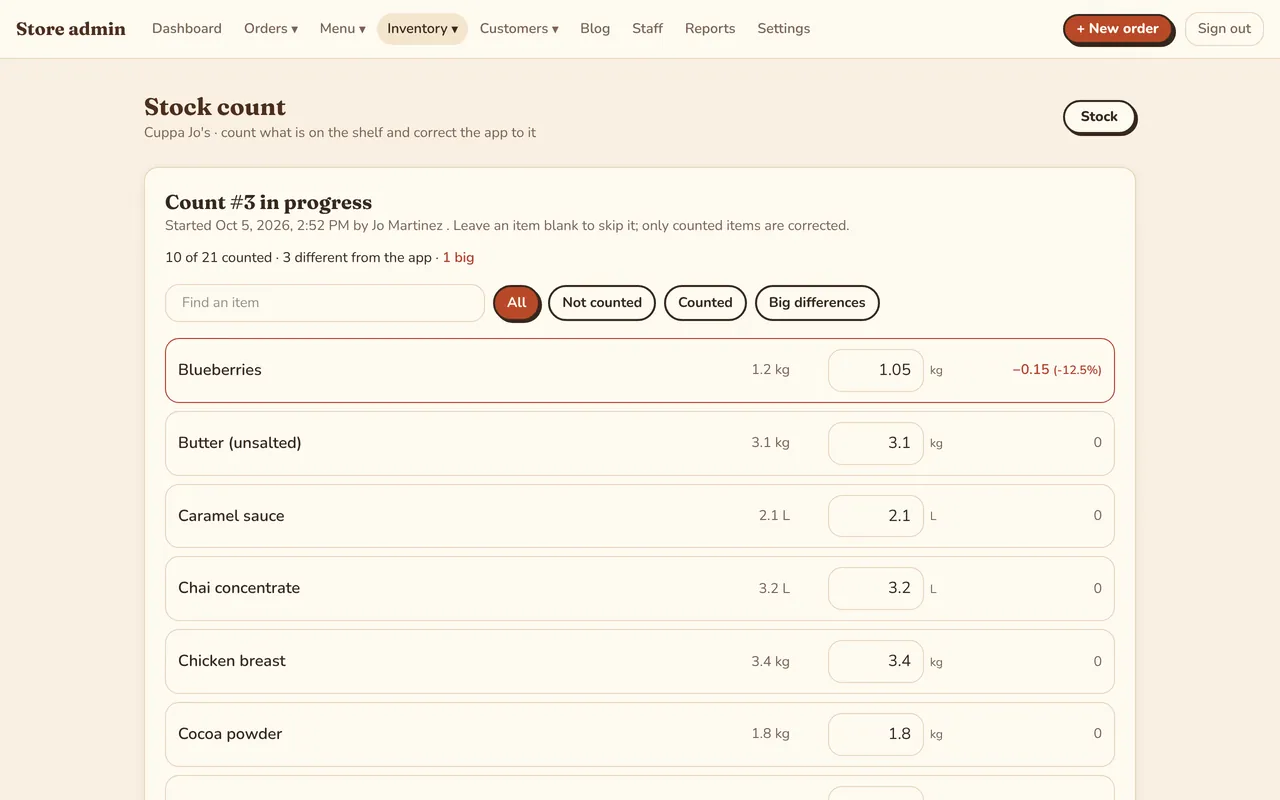
Count what is really on the shelf and the app shows the difference item by item. Submit the count and your stock is corrected, with the reason on record.
- Saves as you go, so a count can be finished later
- Leave an item blank to skip it; only counted items change
- Filters for not counted, counted and big differences
- Losses per item over 30 days, 90 days or a year
Reports that answer the questions owners ask
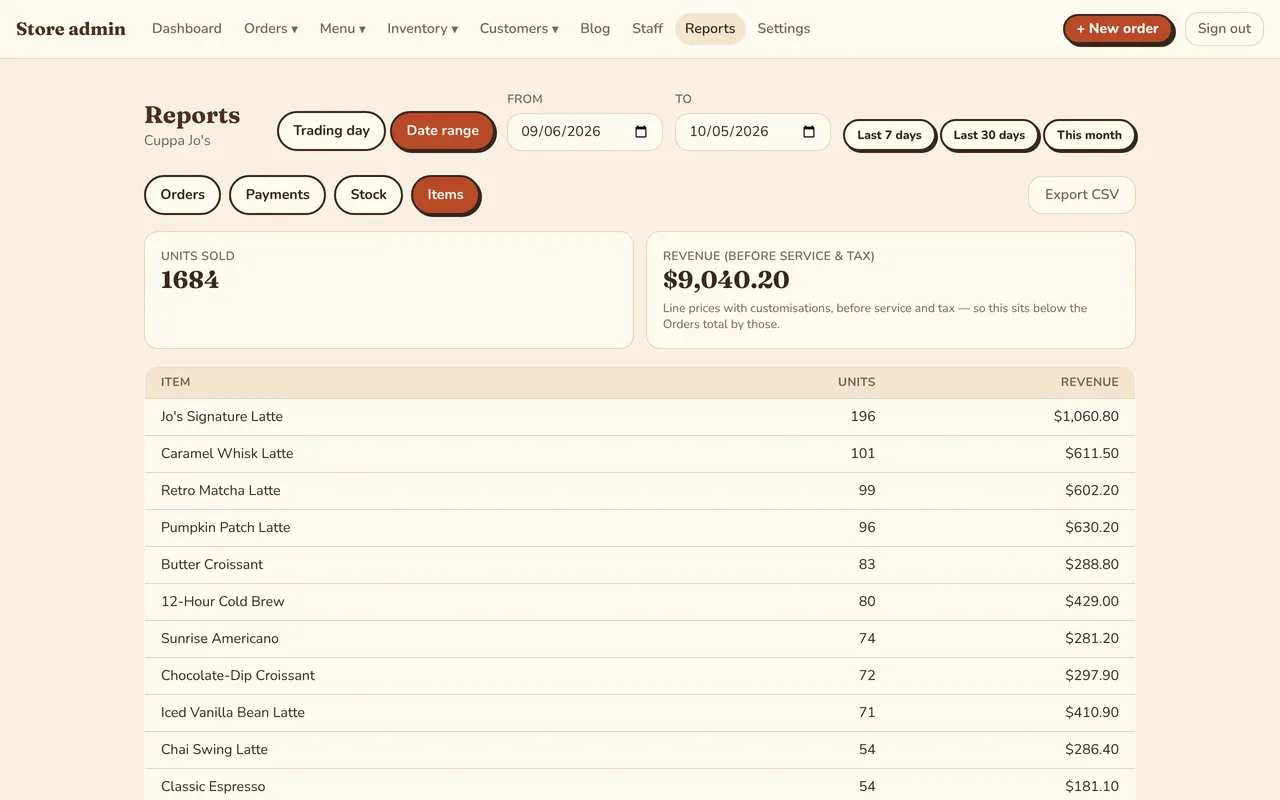
Look at one trading day or any date range. Every figure ties back to the orders behind it.
- Orders, gross takings, tax and what is still to collect
- Payments and refunds by method
- Best sellers by units and revenue
- Stock in and out per ingredient
- Which online orders came from Instagram, Google, TikTok or your table QR codes
- Export any report to CSV
Staff, roles and permissions
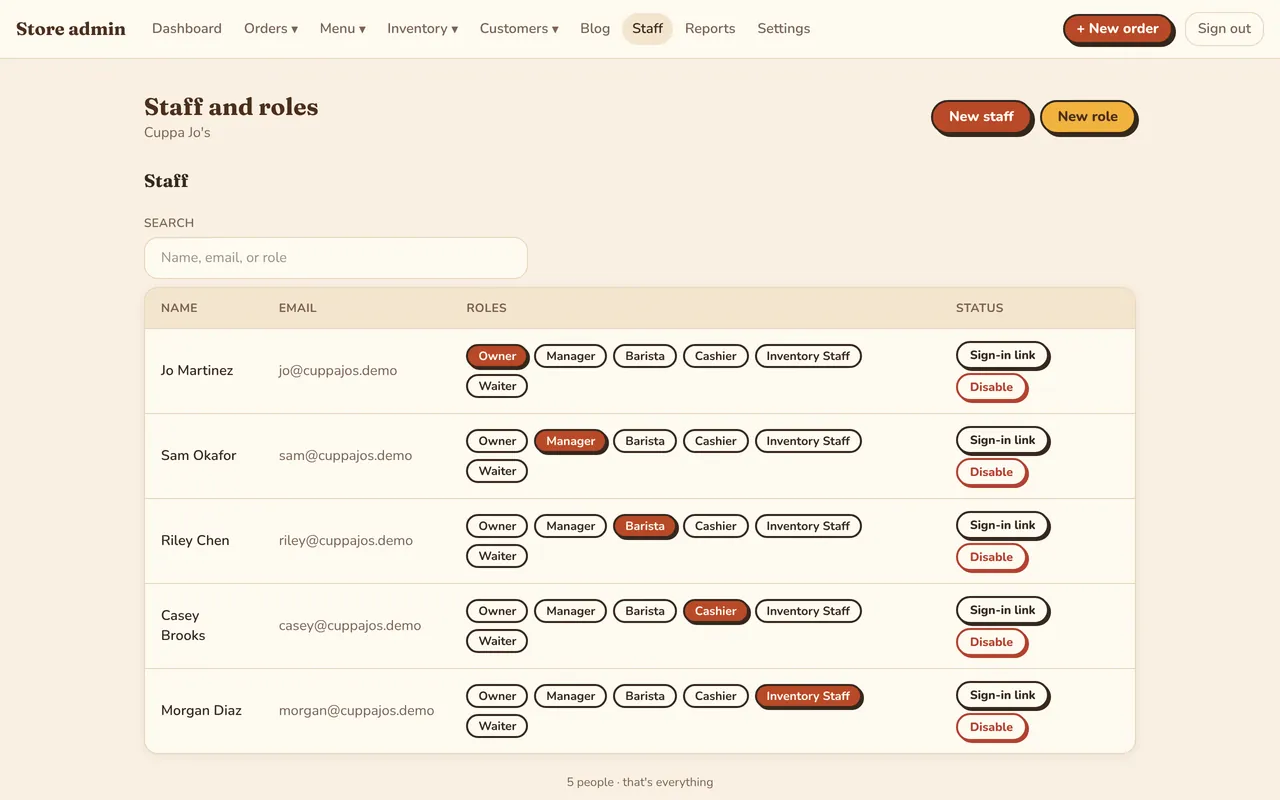
Owner, manager, barista, cashier, waiter and inventory staff come ready to use. Create your own roles by ticking exactly the permissions they need.
- Add a person and send them a sign-in link
- Disable a person instantly when they leave
- Opening and closing of the trading day, by hand or on a timetable
- One login for owners and managers who work in several stores
Customers and reviews
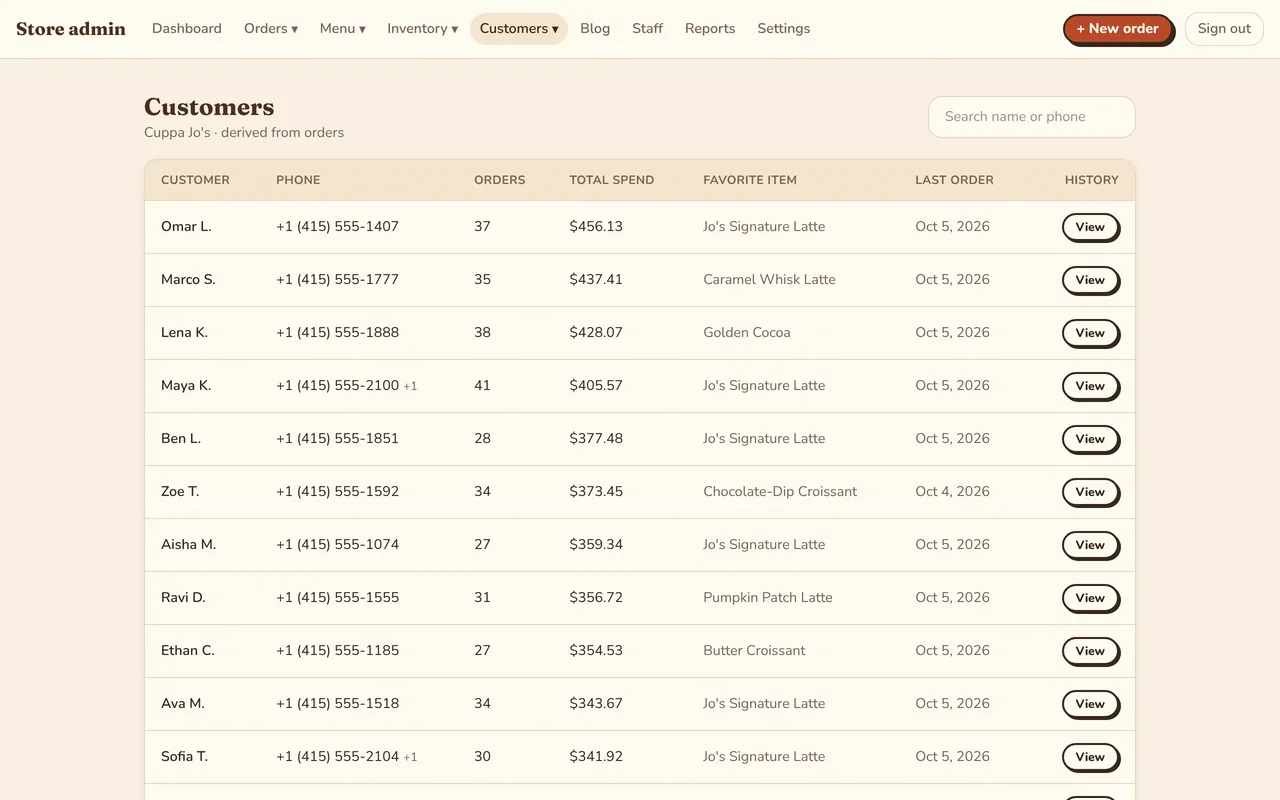
Every guest who orders with a phone number gets a customer record: how often they come, what they spend and what they order most.
- Customer list with orders, total spend and favourite item
- Reviews collected after each order, approved by you before they show
- Each customer’s full order history
Your brand, your address, found on Google
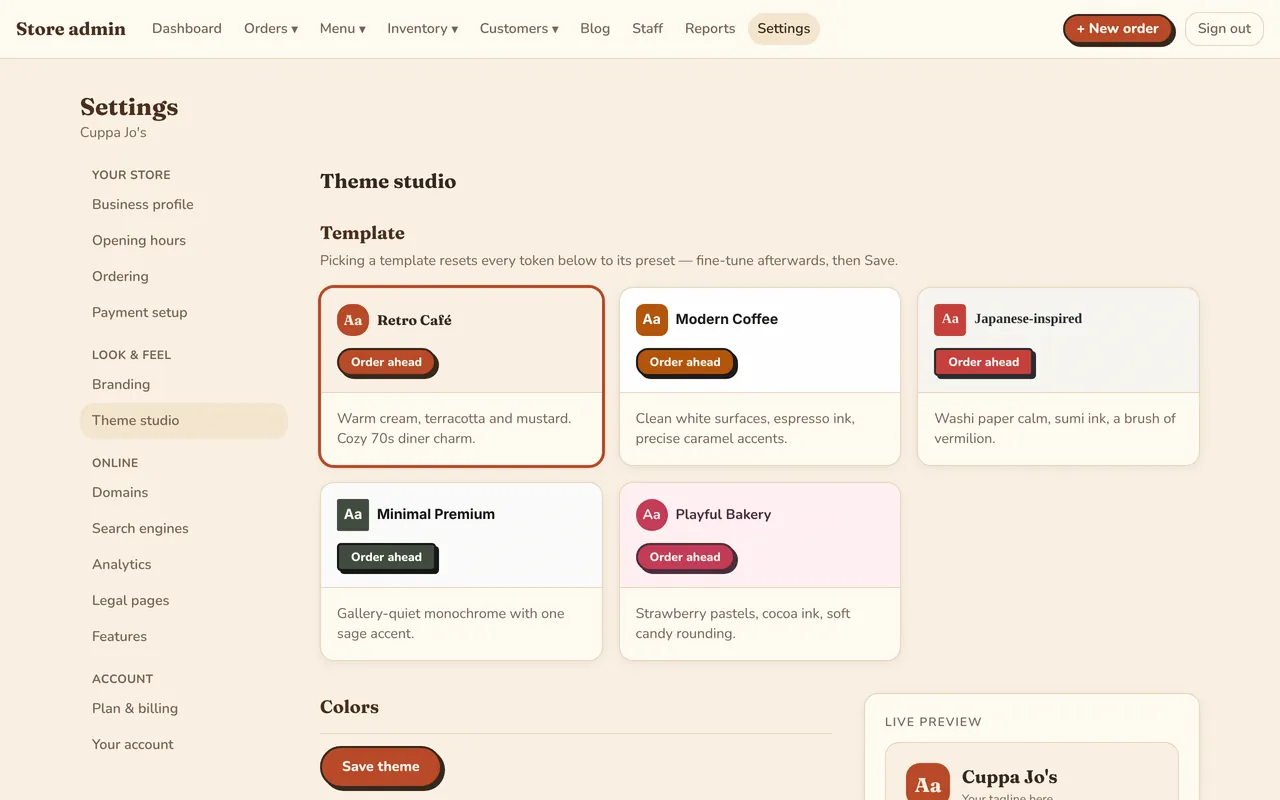
Pick a designer template, then make it yours with your logo, colours and photos. Use your own domain, and let search engines find your menu.
- Five templates and a live theme studio
- Your own domain with a free secure certificate
- Automatic sitemap, search settings and a blog for your news
- Google, Meta, Clarity or TikTok analytics if you want them
- Terms, privacy and refund pages filled in with your details
- Stripe, PayPal and SquareCard and PayPal money goes straight to your own account. No commission.
- Transfer with receipt checkGuests upload a receipt; staff approve it on the queue.
- Pay after eatingDine-in guests order now and settle the bill at the end.
- Opening hoursWeekly hours, and the store opens and closes the trading day on time.
- Tax and service chargeShown as separate lines on every order and receipt.
- Multi-storeOwners and staff switch between stores with one login.
- Payments ledgerEvery charge, refund and failure, searchable by order or customer.
- Menu toolsCategories, photos, options shared across items, sold-out switches.
- GloriaFood importBring your GloriaFood menu across in one step.
- Set-up guideA ready-made menu for your kind of place to start from.
- Your own mobile appAdd-on: your café on Google Play and the App Store.
- Email supportUpdates and support included in the plan.
See it with your own menu.
One plan with every feature, $49.99/month per store. Your first 3 months are free, with free set-up help.